Ledger Live Recovery After a Lost, Broken or Reset Device
Losing a Ledger device feels like losing your crypto. It is not. Your funds live on the blockchain, and Ledger Live, now called Ledger Wallet, can show them again as soon as you restore access on a new device.
What you need is your backup. For most people that is the 24-word recovery phrase written down during setup. Newer options include the Ledger Recovery Key and the optional Ledger Recover service.
Here is how each recovery option works and what to do in the first hour after a device goes missing.

What Actually Happens When You Lose a Ledger
The device holds your private keys, but it is not the only copy. Your recovery phrase can recreate the same keys on any Ledger, or on another compatible wallet.
Is your crypto at risk?
Not immediately. Without your PIN, nobody can use the device. After three wrong PIN attempts it wipes itself. The real risk is if someone also finds your recovery phrase. That is why the phrase should never travel with the device, not even in the same box or drawer.
When to move your funds
If your recovery phrase might have been seen or stored together with the device, restore it on a new Ledger and move everything to a fresh wallet with a new phrase. If the phrase is safe, restoring is enough.
Restoring With Your 24-Word Recovery Phrase
This is the standard method and works on every Ledger model.

Step by step
- Get a new or reset Ledger device from shop.ledger.com or an authorized reseller
- Choose Restore from recovery phrase on the device
- Set a new PIN
- Enter your 24 words on the device itself, never on a computer or phone
- Open Ledger Live, run the genuine check and add your accounts
Your balances appear as soon as Ledger Live scans the blockchain. Nothing was lost, because nothing was ever stored on the old device alone. If an account does not show up, add it manually in Ledger Live for that network, for example Bitcoin, Ethereum or Solana.
Typing the phrase on the device only
The device has its own screen and buttons or touchscreen for this reason. Any app, website or person asking you to type the phrase elsewhere is trying to steal it.
Ledger Recovery Key: Restore With a Tap
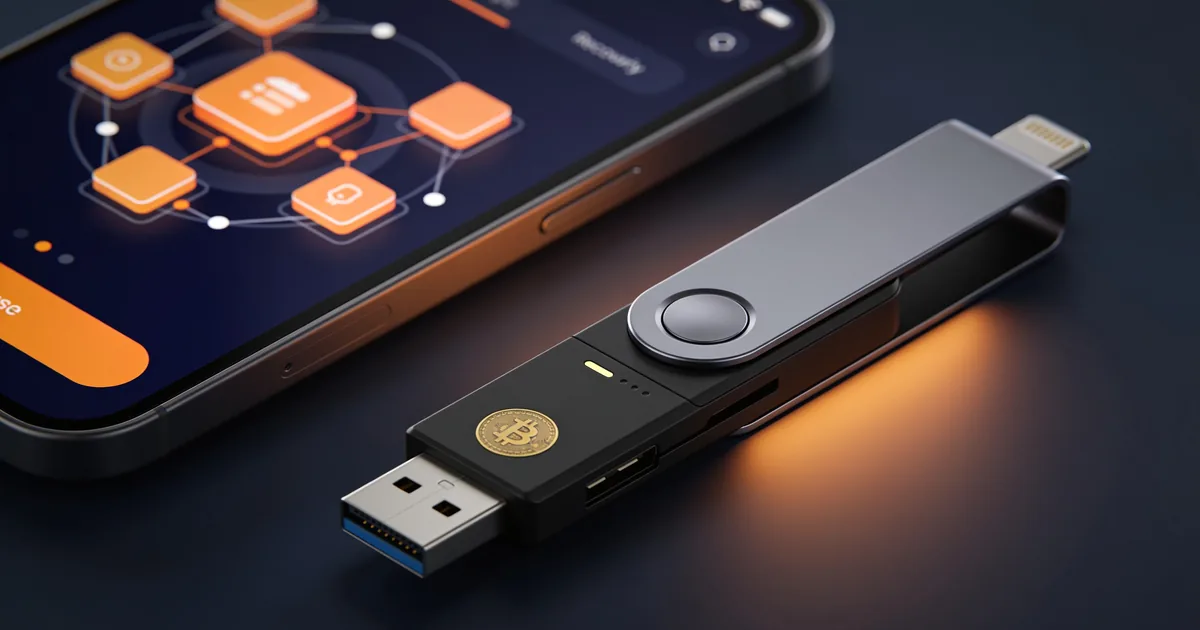
The Ledger Recovery Key is a physical card that stores a backup of your wallet. It comes with the Nano Gen5 and works with NFC-enabled Ledger devices.
How it works
You tap the Recovery Key on your new device to restore access, without typing 24 words. It is protected by a PIN, so finding the card alone is not enough to use it.
Who it suits
- People who worry about losing a paper phrase
- Users who want a faster restore on touchscreen models
- Anyone who wants a second backup in a different place
Treat the card like your recovery phrase. Keep it somewhere safe and separate from your device. If the card is lost, you can still restore with your 24 words.
Ledger Recover: An Optional Backup Service
Ledger Recover is a paid subscription for people who prefer an identity-based backup. It is off by default and only works if you activate it yourself.
How Ledger Recover works
Your recovery phrase is encrypted, split into three fragments and held by three independent companies. To restore, you verify your identity, and the fragments are recombined on your Ledger device.
Things to consider
It is designed for people who fear losing their backup more than they value full anonymity. You can still use your 24-word phrase as usual. If you never subscribe, nothing about your device changes.
New Phone or Computer? You Do Not Need to Restore
A lot of people think they must restore their wallet every time they change a laptop or phone. You do not. Recovery is only for the device that holds your keys, the Ledger itself.
Moving Ledger Live to a new computer or phone
Install Ledger Live from ledger.com or the official app store, connect your Ledger and unlock it with your PIN. Add your accounts again, or turn on Ledger Sync to copy your account list from another device.
When the old phone was stolen
Your crypto is safe, because the phone never held your keys. Install the app on a new phone and connect your Ledger as usual. If you used the optional app password, nobody can open Ledger Live on the stolen phone without it.
Choosing the Right Backup for You
There is no single best backup. The right setup depends on what you fear most: losing access or being robbed.
Backup options compared
- Paper recovery phrase: free, offline and universal, but vulnerable to fire, water and loss
- Metal backup plate: resists fire and water, still needs a safe place
- Ledger Recovery Key: fast restore with a tap, PIN-protected, needs an NFC-enabled Ledger
- Ledger Recover: identity-based, optional and paid, for people who prefer a service to a physical backup
Combining backups
Many people keep a written or metal phrase in one place and a Recovery Key in another. If one location is lost, the other still works. Just avoid creating so many copies that one of them ends up somewhere unsafe.
Planning for Family and Inheritance
If something happens to you, can your family reach your crypto? For most holders, the honest answer is no, and that is a problem worth solving early.
Simple steps to plan ahead
- Write a short note that explains you hold crypto on a Ledger
- Store it with your will or other important documents
- Explain where the backup is, without writing the phrase in the same note
- Consider a lawyer or a trusted person who knows the process
Keep the instructions simple. The person reading them may not know what a recovery phrase is. A short, calm explanation written today saves your family a lot of stress later.
Mistakes That Make Recovery Impossible
Recovery fails for a small number of reasons, and most of them can be avoided today.
Avoid these
- Storing the phrase as a photo, in cloud notes or in email
- Keeping the only copy in the same bag as the device
- Writing down the words in the wrong order or skipping one
- Never checking that the backup is readable
- Sharing the phrase with someone “helping” you recover
A simple check helps: use the recovery check option on your Ledger to confirm that your written phrase matches the device, without exposing it to a computer.
Trust and Official Help
Ledger has built hardware wallets since 2014 and reports more than 8 million customers. Recovery is the moment scammers target the most, so use official channels only.
Where to get real help
- Replacement devices from shop.ledger.com or authorized resellers listed on ledger.com
- Warranty for devices bought from Ledger or authorized resellers, with terms depending on your country
- Guides and support tickets at support.ledger.com
- Ledger Wallet app only from ledger.com and official app store listings by Ledger SAS
- Secure Element chips certified CC EAL6+ on Nano S Plus, Nano Gen5, Flex and Stax
Ledger support will never ask for your 24 words, not even to “recover” your account.
Referenced Incident Guides & Bulletins
Cross-referenced emergency restoration guides verified by Decentralized Key Recovery Gazette:
- Ledger Download: Secure Crypto Wallet Setup Guide Ledger Download explains how hardware and cold wallets store crypto, compare device models, seed phrase safety, and self-custody choices for users.
- Ledger Live Guide To Hardware Wallet Security Ledger Live helps explain how hardware wallets, cold storage, seed phrases, and self-custody compare for safer cryptocurrency ownership choices and risks.
- Ledger Wallet: Secure Hardware Storage for Cryptocurrency Ledger Wallet secures cryptocurrency private keys offline. This guide compares hardware and hot wallets, cold storage, and selection factors for self-custody.
Field FAQ & Cryptographic Intel
Yes, you can restore everything with your 24-word recovery phrase on a new Ledger device. Your crypto stays on the blockchain and is not lost with the device.
Only if you set up another backup, like a Ledger Recovery Key or a Ledger Recover subscription. Without any backup, Ledger cannot restore your wallet.
No, any current Ledger device can restore your wallet. For example, a Nano S Plus phrase works on a Nano Gen5 or a Flex.
It is a PIN-protected physical card that stores a backup of your wallet and restores it with a tap over NFC. It comes with the Nano Gen5.
Ledger Recover encrypts your phrase, splits it into three fragments and stores them with three independent companies. It is optional and requires identity verification to restore.
Usually 10 to 20 minutes. Most of the time goes into typing 24 words on the device and letting Ledger Live sync your accounts.
Technically yes, many wallets support the same 24-word standard. But typing your phrase into a phone or computer exposes it, so restoring on a hardware wallet is much safer.
Almost certainly not. Real recovery happens on your device with your own backup. Anyone asking for your phrase is a scammer.